
Nothing OS 4.0 Based on Android 16: Full Details, Features & Update Timeline
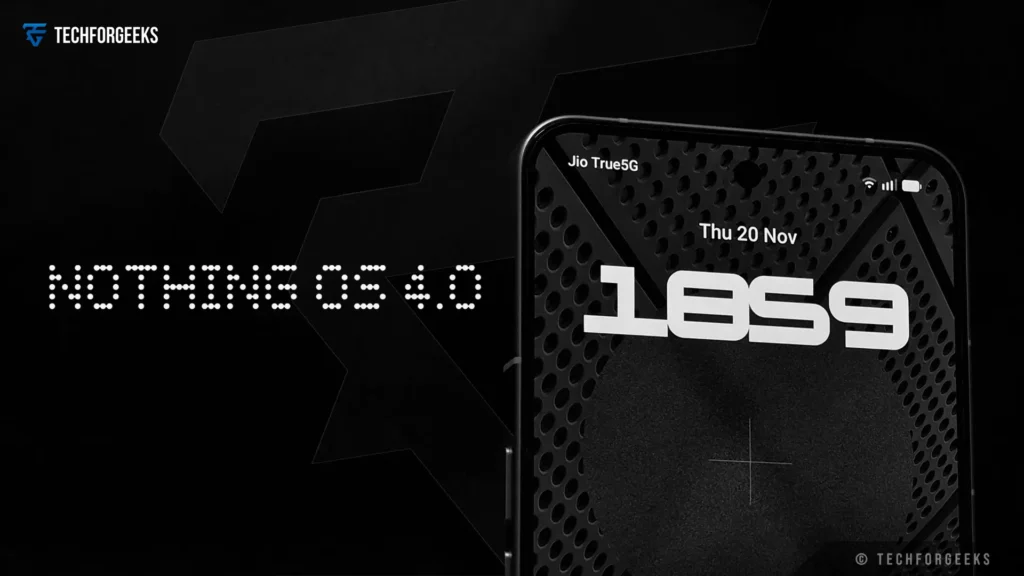
Nothing — the bold, design-first smartphone company is once again raising the bar with Nothing OS 4.0, its Android 16 based update now officially rolling out. Branded internally as “Flow”, this major version brings not just the foundational improvements of Android 16 but also an array of custom features tailored to Nothing phones, with a strong focus on AI, multitasking, and a more fluid user-experience.
What Is Nothing OS 4.0?
Nothing OS 4.0 is the newest version of Nothing’s custom Android interface. Unlike the small updates we usually see, this one is a big upgrade, it’s based on Android 16 and brings noticeable improvements in speed, design, and overall performance. From what the company and the media are saying, OS 4.0 feels more polished and mature. It also leans heavily on AI, with smoother visuals and smarter ways to multitask.
Carl Pei, the CEO of Nothing, had said that the Android 16 update would arrive “later this autumn.” True to their word, the stable version started rolling out on 21 November 2025.
Key New Features
| Feature | Description |
|---|---|
| AI Dashboard & Smarter Intelligence | System-level AI dashboard gives transparency and control over AI behavior. Users can monitor AI usage, check which features rely on it, and tweak settings for personalized AI experience. |
| Pop-Up View / Floating Windows | Run two apps in floating, resizable windows for multitasking. Ideal for writing emails while referencing documents or chatting while watching content. |
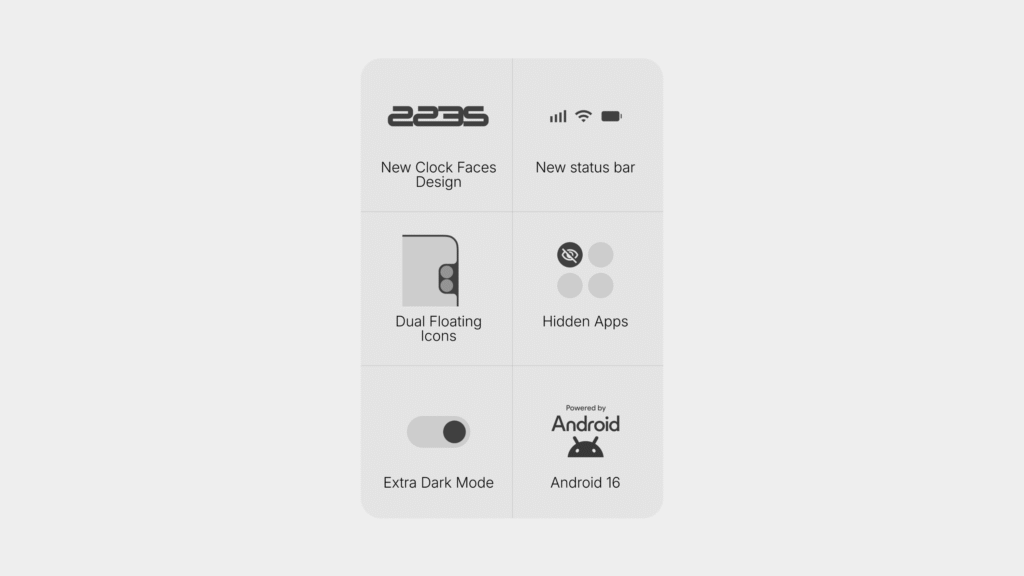
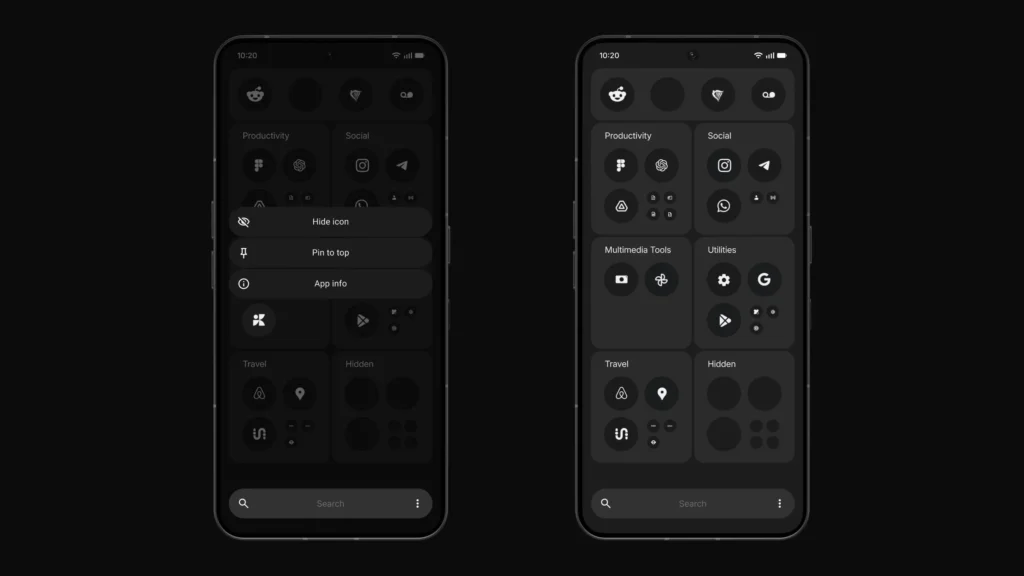
| Refreshed UI & Dark Mode | Quick Settings panel redesigned with wider tiles and cleaner layout. Extra Dark Mode reduces eye strain and saves OLED battery. Brightness slider improved; Always-on Display options expanded. |
| Personalized Lock Screen (Lock Glimpse) | Lock Glimpse shows curated wallpapers and content across nine categories. Optional and disabled by default to protect privacy. Includes two new clock layouts for lock screen. |
| Camera Enhancements | New camera controls and creative presets. “Stretch” mode allows wide or panoramic photos. Gallery app redesigned for intuitive organization. |
| Performance & Optimization | Faster app launches, improved system stability, optimized startup times, enhanced Wi-Fi & Bluetooth connectivity, and better Bluetooth recording. |
| Essential Apps & Widgets | User-created widgets called Essential Apps can be shared via Nothing Playground, allowing community creativity and personalization. |
Here’s a breakdown of the major new capabilities and design improvements that come with Nothing OS 4.0:
- AI Dashboard & Smarter Intelligence
One of the most striking additions is a system‑level AI dashboard, which gives users transparency and control over their device’s AI behavior. You can monitor how much AI is being used, which features rely on it, and tweak settings, a strong move toward more responsible and personalized AI. - Pop-Up View / Floating Windows
OS 4.0 introduces a multitasking “Pop-Up View” mode: you can now run two apps in floating, resizable windows. This is ideal for productivity for example, writing an email while referencing a document, or chatting while watching something, all without switching back and forth. - Refreshed UI & Dark Mod
The Quick Settings panel has been streamlined, with wider-format tiles and a cleaner layout. There’s also Extra Dark Mode, which gives deeper blacks to reduce eye strain and potentially save battery on OLED screens.
In addition, the brightness slider has been made more precise, and Always-on Display options have been expanded. - Personalized Lock Screen (Lock Glimpse)
A new “Lock Glimpse” feature surfaces curated wallpapers and content across nine categories. This is optional and, as Nothing emphasizes, disabled by default, ensuring it doesn’t collect personal data unless the user explicitly opts in.
There are also two new clock layouts for the lock screen to choose from. - Camera Enhancements
The camera app receives new controls and creative presets. Notably, the “Stretch” camera mode — previously seen on Phone (3) is coming to more models, allowing users to take wide or panoramic-style photos with unique framing.
The Gallery app is also reworked for more intuitive organization. - Performance & Optimization
App launches are faster, system stability is improved, and there’s system-level optimization to reduce startup times and improve responsiveness.
Connectivity (Wi-Fi, Bluetooth) has also been strengthened, and there are optimizations to Bluetooth recording. - Essential Apps & Widgets
Nothing introduces a concept called Essential Apps, which are essentially user-created widgets. These can be shared via the Nothing Playground portal, allowing creativity and personalization to flow from the community.
Android 16 Core Advantages (Underlying OS Benefits)
Since OS 4.0 is based on Android 16, it inherits many of Android 16’s improvements.
Real-time notifications (similar to Apple’s Live Activities) that remain persistent in your notification panel, useful for things like ride-sharing and food delivery. Android 16 has smarter grouping of notifications from the same app, reducing clutter. This smartphone has an advanced protection security mode. Enhanced security for users who need tighter protection from phishing, malware, or other risks. Android 16 paves the way for better multitasking when using external displays and keyboard shortcuts.
Update Timeline & Eligible Devices
| Timeline / Update Stage | Date / Period | Eligible Devices | Notes |
|---|---|---|---|
| Announcement & Teasing | Q3 2025 | N/A | Nothing Phone (3) launch event teased Android 16 (OS 4.0). |
| Closed Beta | August 2025 | Phone (3) | Limited beta for Phone (3) users. |
| Open Beta | 30 September 2025 | Phone (3), Phone (2), Phone (2a), Phone (2a) Plus | Open beta available for multiple devices. |
| Beta Participation Expansion | October 2025 | Phone (3a) series | Open beta began inviting users from other series. |
| Stable Rollout | 21 November 2025 | Phone (3), Phone (2), Phone (2a), Phone (2a) Plus | Public stable rollout confirmed. |
Supported Devices
| Device | OS 4.0 Eligibility |
|---|---|
| Phone (3) | First to receive update |
| Phone (2), Phone (2a), Phone (2a) Plus | Included in beta and stable rollout |
| Phone (3a) / 3a Pro | Later beta and stable phases |
| Phone (1) | Not eligible |
Why Nothing OS 4.0 Matters
- Nothing has added this new AI dashboard, and after using it for a bit, it actually feels helpful. It just sits in the background and does its thing, so the phone behaves a little smarter without you having to poke around.
- I also tried the Pop-Up View, and it’s honestly useful. You can keep two apps open together like watching a video and replying to someone and it doesn’t feel irritating or slow. Extra Dark Mode is nice, the quick settings panel looks cleaner now, and a few small lock-screen changes make the phone easier to handle, especially late at night when the eyes are already tired.
- There’s also this Essential Apps + Playground section where you can make your own widgets and even share them. If you like personalising your phone, you’ll probably end up spending time here just experimenting.
- Performance-wise, Android 16 with Nothing’s tweaks feels smooth. No lag issues so far, and the phone looks a bit more secure with the new system changes.
Conclusion
Nothing OS 4.0, built on Android 16, is a well-polished update that blends the best of stock Android with Nothing’s own clean design. It brings a tidier interface, smoother multitasking, and more ways to personalize your phone, all aimed at making the Nothing phone feel better to use.
The rollout starts on 21 November 2025, so compatible devices should begin receiving the update soon. As usual, early beta users might run into a few bugs, but if you have a Nothing phone and want to try the new features early, backing up your data and joining the beta could be worth it. And if you’re considering buying a Nothing phone, this updated software roadmap makes the lineup even more appealing.




Your point of view caught my eye and was very interesting. Thanks. I have a question for you.